Automated Commission Tracking
You may have tracked the commission manually in an Excel sheet, but now there is a smart way to reward the hard work employees are putting in and track the commission for multiple employees in ServiceWorks.
Basic Commission Structure
There are three ways you can set up the commission structure, or any combination of the four types.
- Hourly Rate: You can define hourly rate for your employee and that would be part of the commission
- Job Percentage: You can define what percent of the total job cost would be the commission
- Fixed Price: You can also define a fixed price.
- Mileage: You can pay the employee for mileage as well

Simple Commission
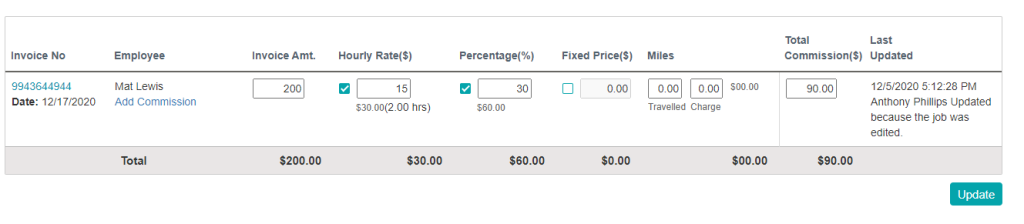
Imagine that you have an employee named John. John’s hourly rate is $15/hr. You also want to pay him 30% of the job.
Now, if you have a job worth $200, John took 2 hours to complete the job. So John would get a commission of 15 x 2 + 200 x 0.30 = $90. And you don’t really have to do anything for this in ServiceWorks other than just setup the basic structure in the Company User screen and Complete the job.
Note: Jobs that are not in the complete state will not be visible in the commission grid.
You can also use the lock button beneath the Action column to set commission rates. This way, even if the amount due on the job changes, the technician will still receive the same commission rate.

Commission with Mileage
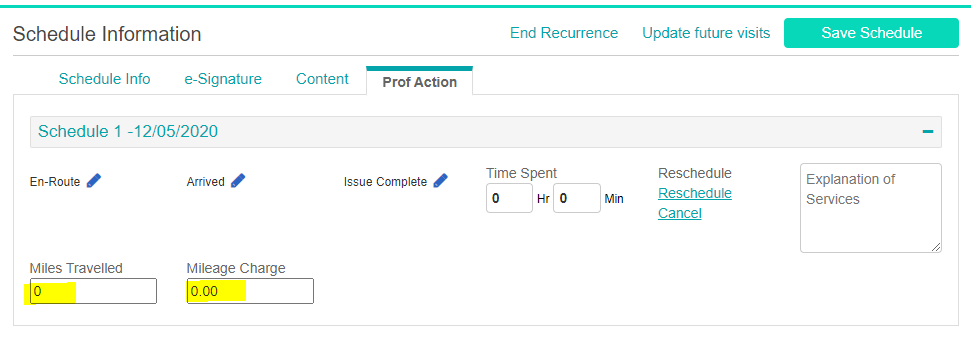
You have an employee, Mary, whom you pay for hourly pay, percentage commission, and mileage. In this situation, you will just have to put the miles traveled and mileage charge into the job. If you are using the mobile app, then you don’t even have to enter the miles traveled, as that will be automatically calculated.
Update Commission
You need to have a different pay structure than what you set up to pay Mary at her regular price. What do you do? Don’t worry, all the commission data can be adjusted and updated in the commission page.
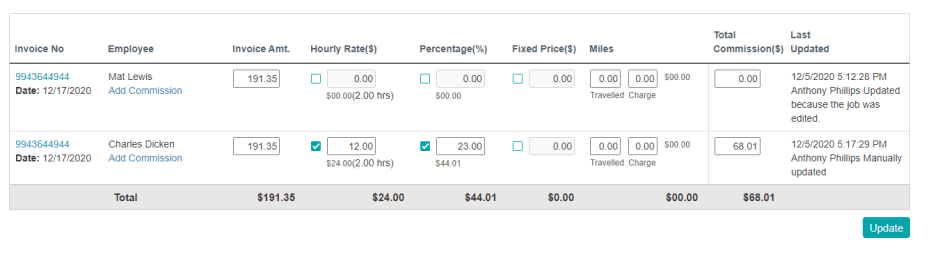
You can update the Invoice Amount, Hourly rate, Percentage and Fixed Price, Miles traveled and charges amount in the Commission without impacting the original job.
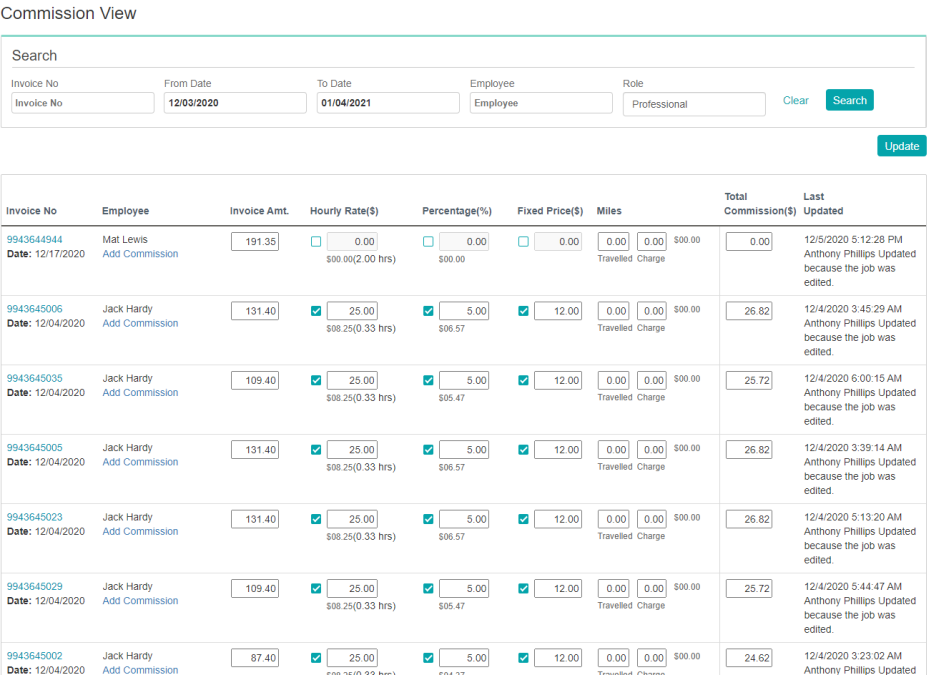
You just check to include the relevant values in the commission and you are done.
Add Commission for Multiple Professional
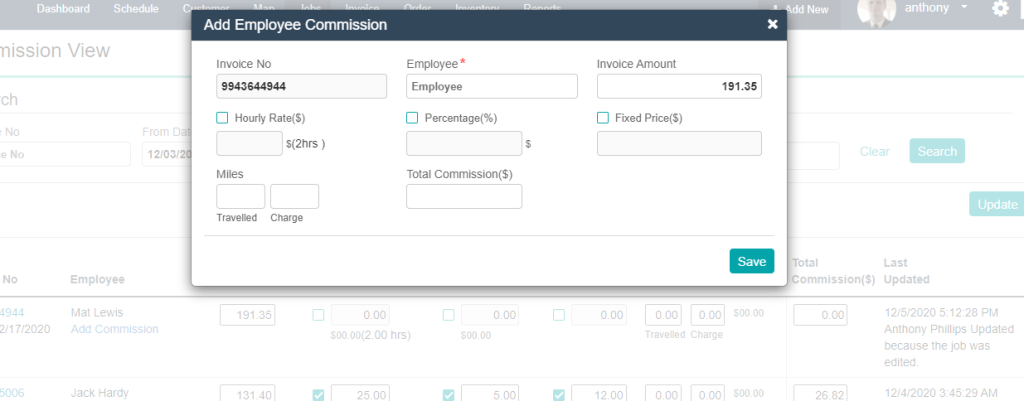
By default the pros associated with the job will show up in the commission grid. But you can add additional people in this commision, just by clicking Add Employee Commission.