Credit Card Payment Failure
In the Credit Card Payment Failure template, you can create and edit a customized email message that is generated whenever a credit card payment has failed or been declined. Here’s how to utilize this template within your ServiceWorks account.
Within the Template menu, you can edit the email that gets sent using the following options:
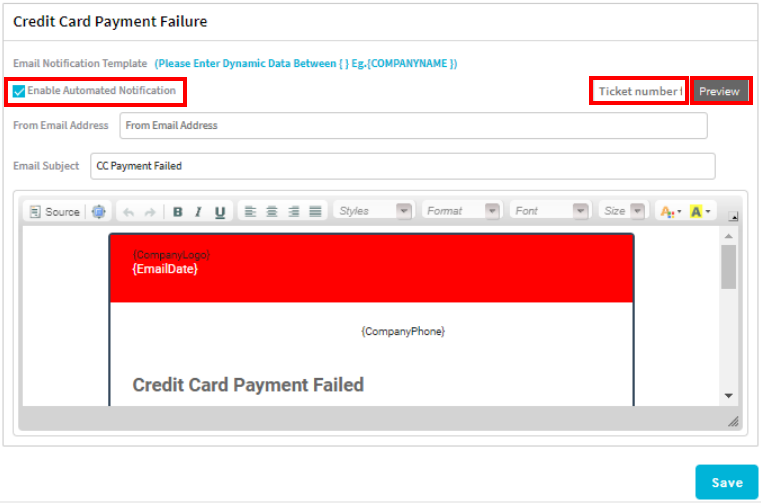
The Enabled Automated Notification checkbox indicates that these emails are active within your ServiceWorks account. You can use the From Email Address and Email Subject fields to edit both the email address the message is being sent from and the text for the subject of the sent emails.
To preview your current template configuration, type the ticket number in to the field next to the Preview button and click the button to view a draft of what your customers will see

Within the template body for the payment failure email, you can use dynamic data text to customize the messages being sent. You can use the toolbar to access various formatting options, as well as use the legend on the right-hand side to view the dynamic text that is available for this template.
Once finished with your changes, click Save before continuing with the rest of your setup.
You can also activate the toggle for this email trigger within the Preferences section to send out an email to an admin whenever a payment has failed.