Tech Arrival
You can set email, SMS, and robocall notifications to send to customer when technician arrives.
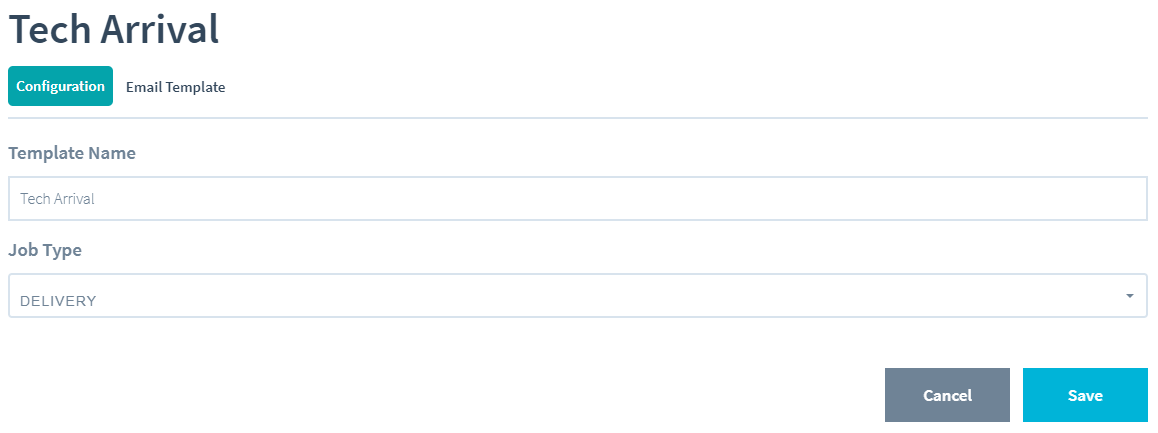
Configuration
Under configuration tab you require to enter Template Name and select Job Type.
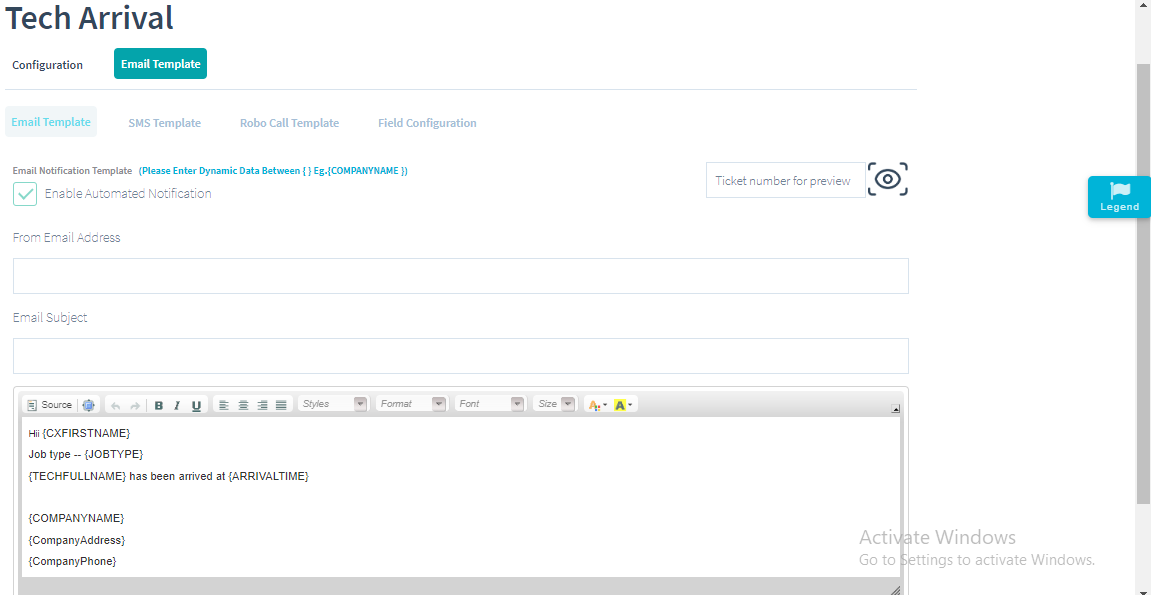
Email Template
In Email Template you can enable automated notification, enter ticket number and preview.You can give email subject, create the email body using the template. Please use dynamic data between curly braces{} for example {CompanyName}.
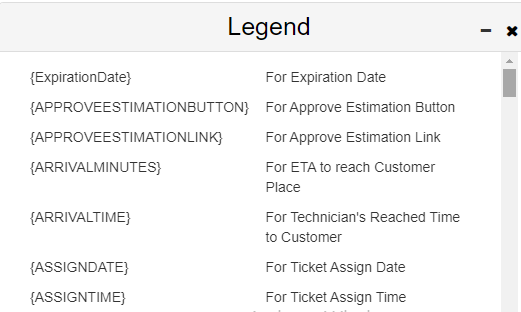
Legend: Copy and paste any additional field you require in the email body from Legend option.
SMS Template
You can enable automated notification for text message and create text message template.
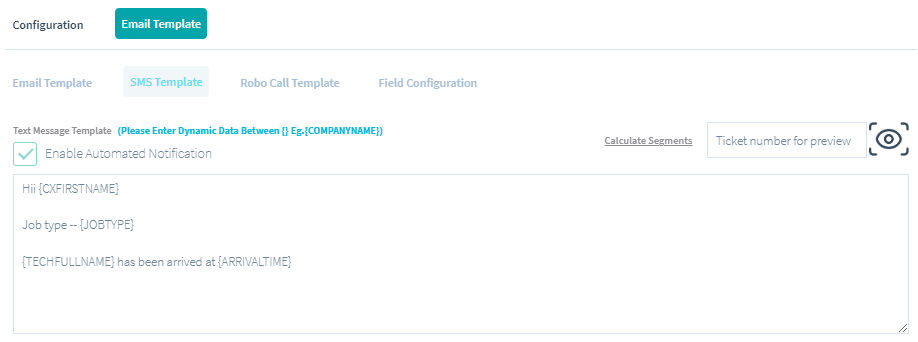
Calculate Segments:
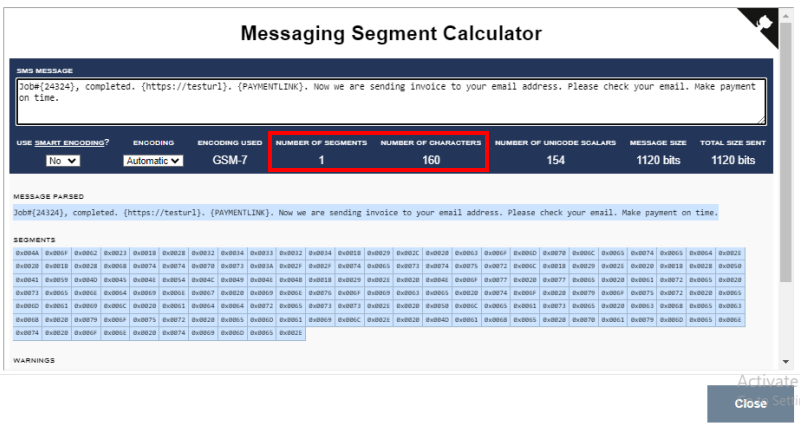
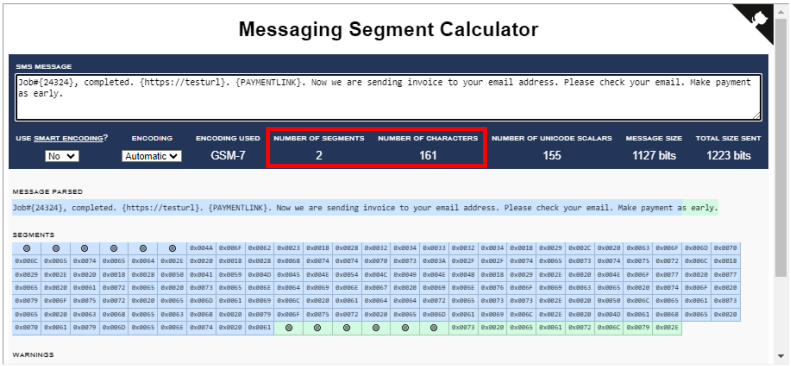
Click on this ink to open Messaging Segment Calculator where you can paste your message and see the number of segments, number of characters, number of unicode scalars, message size and total size sent.
For single segment message, maximum characters allowed are 160. Every text message sent count depends on segments, as 1 segment = 160 characters, 2 segments = 161 - 320 characters, 3 segments = 321 - 480 characters, and notifications & text messages are sent and deducted accordingly.
There is an example as shown in the images below.
Robo Call Template
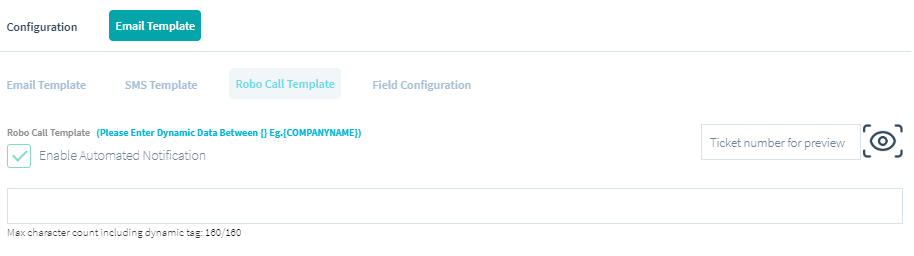
Enable automated notification and create Robo Call template.
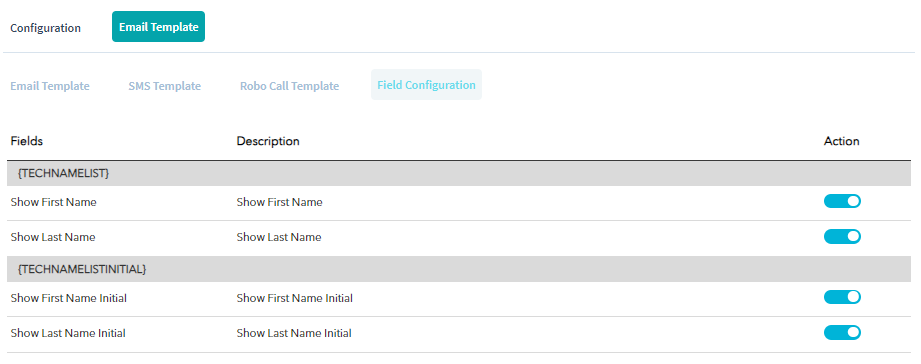
Field Configuration
In Field Configuration there are some fields which you can enable or disable in the Tech Arrival template.