Order To Be Delivered
This interface is intended for the management and monitoring of customer orders awaiting delivery. This functionality is especially beneficial for businesses that offer products through point-of-sale (POS) transactions and require oversight of the fulfillment process. When products are incorporated into a POS order, they are automatically displayed on the "Items Needed" page if they are not present in stock. From that point, you can generate purchase orders to replenish these products. After the items are received, they can be dispatched to the customers, and their status can be updated accordingly.
Moreover, the POS system within ServiceWorks enables the creation and management of customer orders, offering features such as order exportation, search capabilities for existing orders, and the ability to modify order statuses.
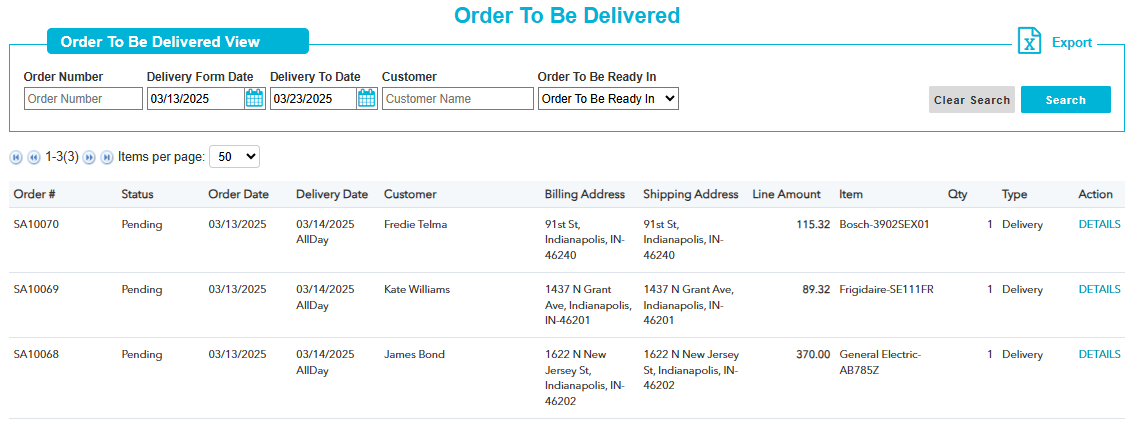
You can search the customer orders that are yet to be delivered. Following are the search criteria:
Order Number: Enter customer order number. But only order number will not fetch any details.
Delivery From Date: It is very important search criteria. If any order having delivery from date that matches the record then will be shown as search result.
Delivery To Date: Enter the delivery to date.
Customer: You can search by customer name also but it should be paired with delivery from date.
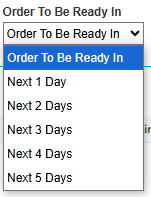
Order To Be Ready In: You can select this option to filter your search ranging from next 1 to 5 days.
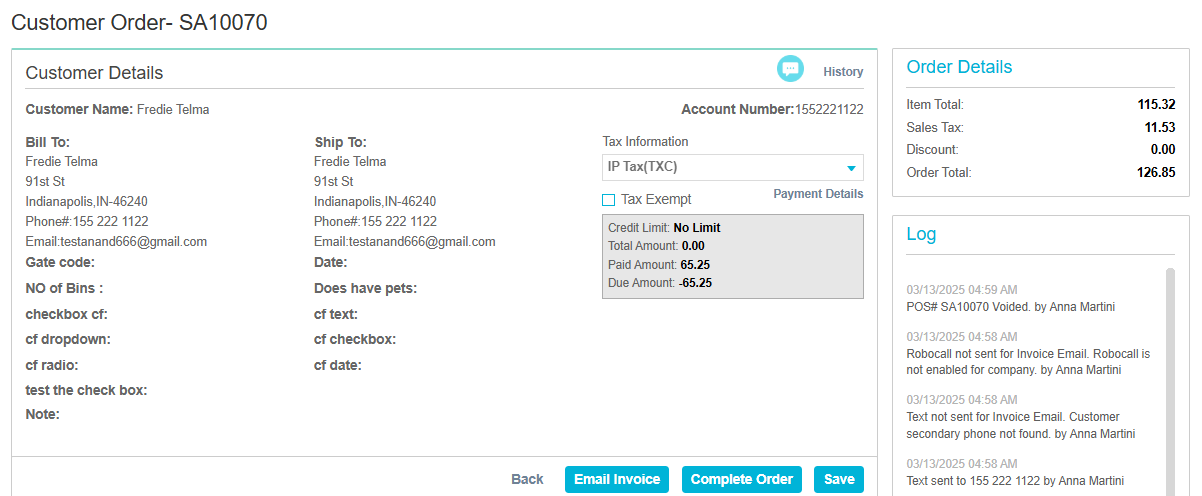
If you click ‘Details’ link under ‘Action’ column, the Customer Order page will open as shown below: