Items Received by Receive Date
What This Report Does:
Displays a list of ordered items that have been received based on their received date.
Upon opening this report, you’ll have the following options to filter your search results:
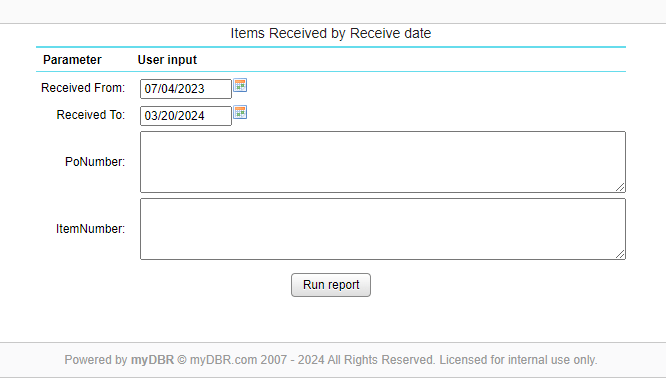
Recieved From / To: Filter results by a time range in which items were received
Po Number: Filter your results by the purchase order number the item is assigned to
Item Number: Filter your results by the item’s assigned number
Once finished with your selections, click Run Report to continue.
Once generated, you will be able to view the following information within the report:
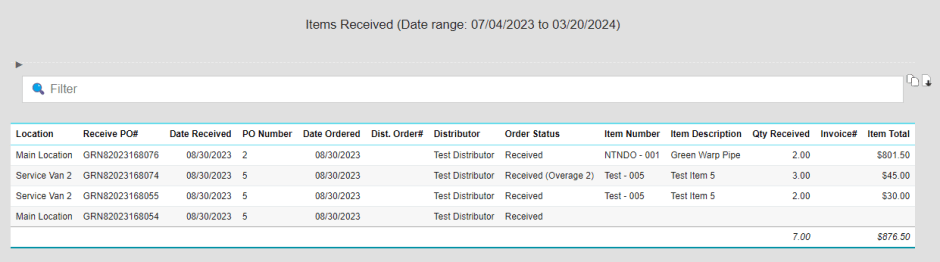
Location: Displays the location where the item was received
Receive PO#: Displays the purchase order number generated when the item was received
Date Received: Displays the date on which the item was received
PO Number: Displays the purchase order number the item was attached to
Date Ordered: Displays the date on which the item was ordered